Designing an intelligent music education system

As part of of undergraduate research in Carnegie Mellon University’s AXLE Laboratory for interdisciplinary HCI under professor Patrick Carrington and Ph.D. student Ezra Awumey, I worked on designing an intelligent music education system that utilizes computer vision and AI to teach users how to play the guitar. I conducted a detailed analysis of current educational apps and generalized their principles, applied these principles to guitar training, and finally made prototypes to be used by the lab for further research.
analysis of existing educational apps
During the knowledge building portion of the research, I was tasked with analyzing the ways popular educational and biometric apps scaffolded knowledge.
Beginner
Intermediate/Advanced
Declarative
Declarative
Procedural
Procedural
Strategic
Strategic
Procedural
Declarative
Declarative
Declarative
Intuitive understanding
Continues to be useful for intermediate/advanced users
Tennis knowledge through outside coaching
Procedural
Declarative
Strategic





Chess.com
Duolingo
Fitbit
Swing Vision
Possible early retention
+ complete knowledge
slowly gradients into

AI Coaching
Strategic
User Stories For Popular Learning and Biometric Apps
I want to learn the basic building blocks of the subject.
Users complete short lessons explaining the basic moves for each piece. These lessons are explained by a virtual ‘chess coach.’ The user moves the pieces as part of the lesson.
I want to learn the fundamental building blocks of the subject.
I want to know how to do the basic actions of the subject.
Users complete short lessons explaining how an entire game of chess is played. They play parts of a game as part of the lesson.
I want to know how to do the actions of the subject.
I want to know how to do the basic actions of the subject.
Users make educated guesses about the correct phrasing or translation of words and sentences within the app.
The app shows the user very basic metrics like steps, heart rate (if one owns a watch), calories burned, distance, etc.
Through trial and error and feedback from the app, they start to get correct answers and build up those connections in their mind.
I want to know how to do the basic actions of the subject.
I want to know some basic metrics.
I already have a basic understanding of the subject,
I want to know as much as possible about my performance in the subject.
Users can see detailed metrics about their performance after recording games.
I want to know how to improve my performance.
The ‘AI Coaching’ will give the users suggestions on how to change their game based off their performance, citing specific metrics it’s basing its judgment on.
From these basic actions I’ve done I have a sense of the structure of the subject.
From these basic actions I’ve done I have a sense of the structure of the subject.
I now have an intuitive understanding of the subject.
I want to know the some basic strategies for the subject.
Users complete short lessons explaining basic strategy like point values.
Users are given a variety of tools, from more advanced lessons that use the same format as the previous lessons, to a coach which gives you advice as you play with it, to advanced analysis tools.
I want to know strategies for the subject.
I want to know and build advanced strategies for the subject.
Lesson Diagramming
Having experience teaching people how to play instruments I found parallels in my teaching and the way I was thinking about scaffolding knowledge for educational and biometric apps. I started outlining a lesson plan for a music education system, thinking about how this system could be accessible to users with mobility impairments and for all skill levels.
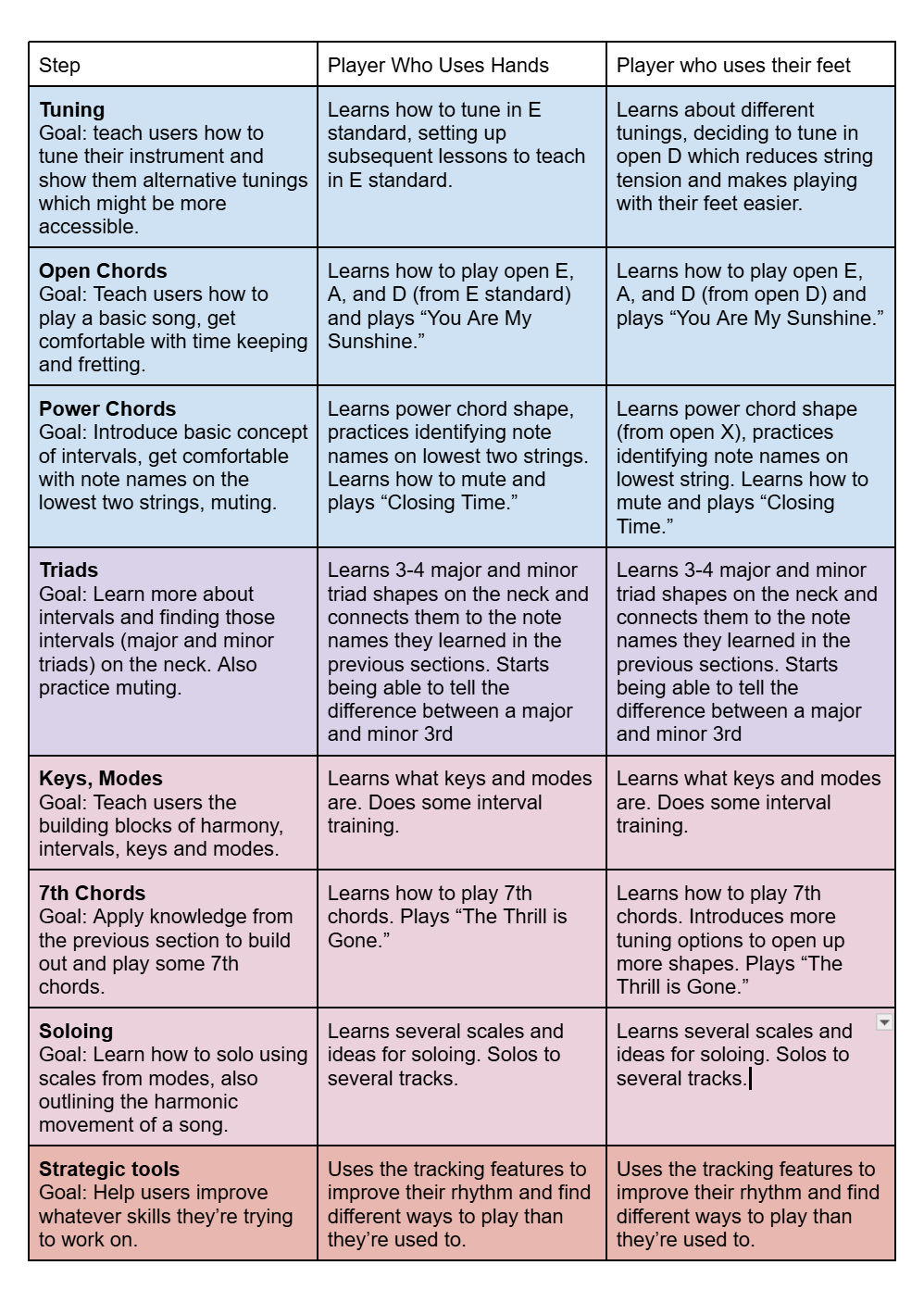
What lessons would look like for players of different skill levels
What a lesson looks like
Listen → play → analyze → repeat
Listening/
Analyzing
Playing


Musical idea is introduced
The user attempts to play this idea
The system helps the user analyze their playing
The user plays again until satisfied/they achieve mastery


BeginnerCovers basics, tries to get the users playing and listening more than anything. The goal is to build up some confidence, intuition, and milage.
Intermediate
Covers more music theory. The “listening” stage of the lessons will include more exposition about the theory behind what they’re playing. The goal here is to build up a large musical vocabulary.
Advanced
Advanced users will have a strong theory and technical skills already. The goals for advanced users is to provide strong analysis tools to help them discover new ways to play. Instead ovf having specifically structured lessons, advanced users will jam with tracks, solo, or practice their own compositions and use the analysis tools to see what they are playing as well as what they are not. They will still be relying on the same cycle of listening/analyzing and playing.
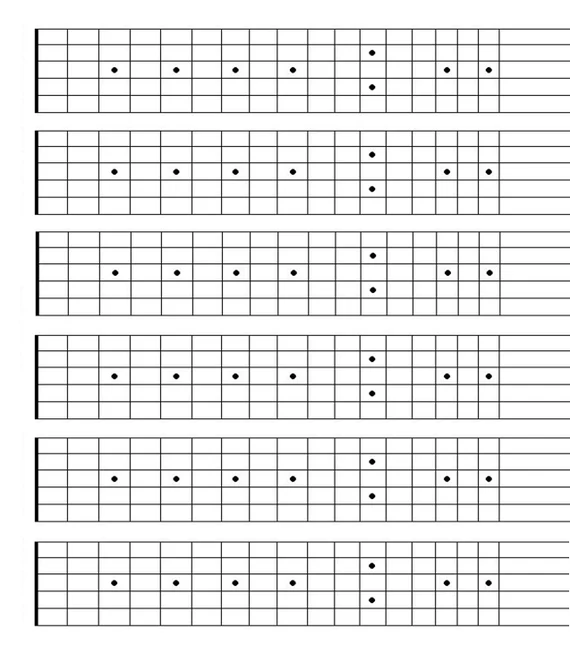


“Heat map” of a user’s solo
Notes the user could incorperate into their playing
Visualizations like a neck “heat map” could help advanced users discover new avenues on the neck
Computer Vision Matchmaking
Early on we wanted to see how AI technologies like computer vision could be used in the program. I did matchmaking with feedback we wanted to be able to give users and computer vision techniques to explore potential AI features.
Hand shape
Picture of player’s hand, with or without pick

Hand skeleton extrapolated
Animates skeleton to correct hand position
Hand rhythm
Picture of player’s hand for each frame of their playing
Hand skeleton extrapolated for each frame
score based on weather the rhythm of the hand matched the specific rhythm being tested
Parts of the neck being played
Picture of players hand relative to the neck for each frame of their playing
Finger position relative to the neck recorded for each frame (in whole session or during solo)
Heat map created of where the user played
Smoothness/efficiency
Picture of players hand relative to the neck for each frame of their playing
Hand position relative to the neck recorded for each frame (in whole session or during solo)
Score created by summing the momentary acceleration of the hand position and dividing by time (jerk/jolt)
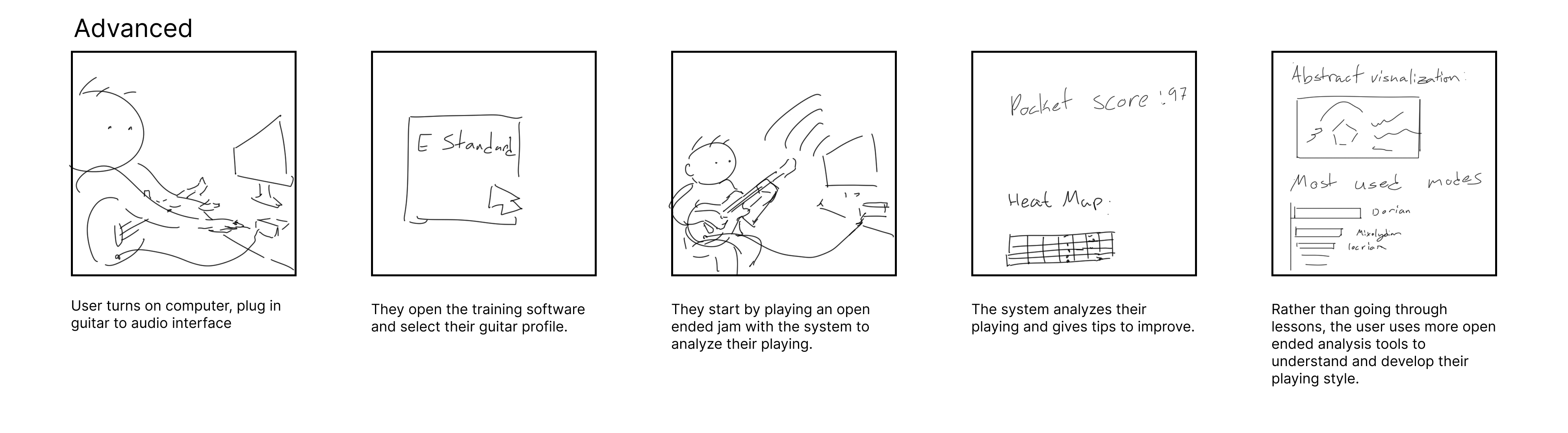
Storyboarding
We wanted to create a tool that would scaffold knowledge for all players, from beginners who have never picked up a guitar before to advanced musicians.


Wireframes and prototypes
To start prototyping I made beginner lesson and advanced open jam screens as well as a set of components that could be used in further iterations and testing.
Beginner Lesson
For the beginner lessons we needed to ensure users could start playing songs immediately while intuitively building up declarative knowledge of music theory through the system feedback.
Play this progression in the key of E major.
E major


A major

B7

E
E
A
B7
A
B7


Perfect
Rushing

98 BPM

Lesson 4: I IV V7

B7
Note Amplitudes
C
D
E
F#
B
A
G#
C#
D#
F
G
A#

Feature: Lesson context
Problem:
Users need to know what they should be playing and be introduced to some of the vocabulary of the music they are playing for each lesson.
Solution:
Minimal and modular context at the beginning of the F-shaped reading immediately orients users to the context of their lesson.
Feature: Tempo controls
Problem:
When practicing music users need to be able to start out slow then increase speed to their target tempo.
Solution:
An tempo selector allows users to increase and decrease speed to their comfort level as they work through progressions.
Feature: Temporal input chart
Problem:
Understanding whether you are playing ahead of, behind, or on the beat is a skill which takes a long time for beginners to develop. Further, users may not be able to hear whether they are playing the right notes or chords.
Solution:
This section displays what the users are playing and compares it to what they should be playing (in relation to playing the correct notes with the correct time feel). It points out specifically areas where the user succeeds and where they make mistakes.
Feature: Note amplitude graph
Problem:
Beginner guitar players often do not know the names of the notes they are playing or what notes are in the chords they are playing.
Solution:
This section displays what notes are being played at a given time and their relative amplitudes. This helps users see the notes in the chords they are playing and helps them troubleshoot if the system detects they are playing wrong notes.
Feature: Abstract visualization
Problem:
While building technical skills is important, building more abstract geometric and affective mappings of music is also important for overall musicianship and often overlooked in traditional music education.
Solution:
By creating an abstract visualization of what the user is playing, they can start to build out their own connections between what they are playing and its the geometry and affective quality.
Advanced Open Jam
For the advanced jam we needed to give the user new ways to understand their playing to help them innovate their own musical ideas.
B7
Note Amplitudes
C
D
E
F#
B
A
G#
C#
D#
F
G
A#

98 BPM

4/4
Track
Gm
Bmaj7
A
A
Am7
B7
Em7
Emaj7
E
Harmonic Potential


Dynamic Journey
Open Jam
Feature: Dynamic journey graph
Problem:
Advanced players want to keep track of their dynamics as they’re playing.
Solution:
A simple graph can help players track the dynamics of their playing throughout a session.
Feature: Note amplitude graph
Problem:
As intermediate and advanced players experiment find more shapes in alternative tunings, they may not know exactly what notes and chords they are playing.
Solution:
Giving the amplitudes of each note being played along with the name of the chord (if present) helps players experiment and understand the new sounds they are finding.
Feature: Track controls
Problem:
Advanced players need more rhythmic options to to play in different time signatures and have a backing track of their choice.
Solution:
These track controls allow users simply select the rhythm and backing of their track.
Feature: Harmonic Potential
Problem:
Intermediate and advanced players often fall into the same harmonic progressions and shapes. It can be hard to start playing differently than one is used to.
Solution:
By showing branching potential directions the users playing can go, users can explore more harmonic avenues than they could otherwise.
Feature: Abstract visualization
Problem:
While building technical skills is important, building more abstract geometric and affective mappings of music is also important for overall musicianship and often overlooked in traditional music education.
Solution:
By creating an abstract visualization of what the user is playing, they can start to build out their own connections between what they are playing and its the geometry and affective quality.